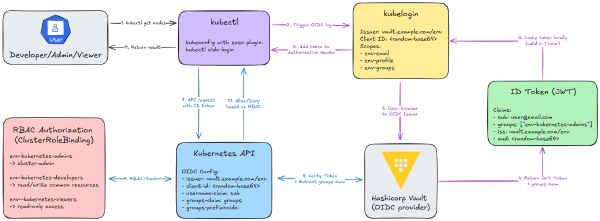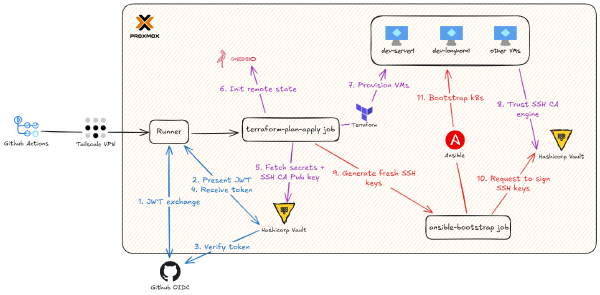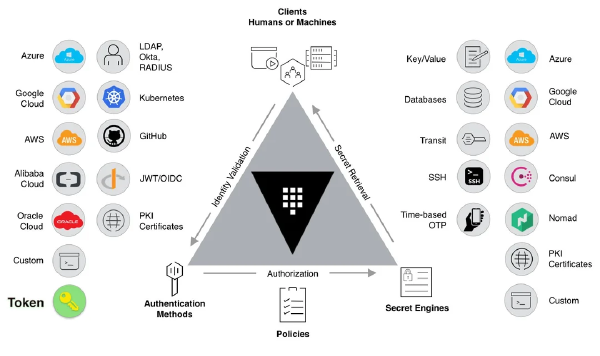
This is Part 4 of the Hashicorp Vault series. In Part 1, we bootstrapped Vault. In Part 2, we built our CI/CD pipeline. In Part 3, we finally killed the static kubeconfig.
We’ve secured our CI runners and our human kubectl access. But what about the apps themselves? We’re on the final, most important step: how do applications running inside the cluster securely fetch their secrets?
The Last-Mile Problem: Secrets in Your Pods#
So far, our “single source of truth” for secrets is Vault. But our applications don’t know how to talk to Vault. They just know how to read a standard Kubernetes Secret.
The “easy” (and wrong) way to solve this is to just do it manually:
kubectl create secret generic db-credentials \
  --from-literal=username=myapp \
  --from-literal=password=super-secret-password
The moment you run this, you’ve undone all the hard work from the last three posts.
Your “Single Source of Truth” is now a lie. You have a password in Vault and a copy of it base64-encoded in etcd. Which one is right?
You just broke your automation. When that password rotates in Vault (and it should!), your app will break. You’ll get paged at 3 AM to go manually run
kubectlagain.You have no audit trail. Who created this secret? Where did “super-secret-password” come from?
It’s a static, long-lived key. A compromised pod now has that password forever.
We’ve spent three articles building a beautiful Zero Trust secrets engine. We’re not going to fall at the final hurdle.
The Solution: External Secrets Operator (ESO)#
The solution is a little robot that lives in your cluster called the External Secrets Operator (ESO).
It’s a Kubernetes operator that does one job, and it does it perfectly. When you create a new YAML file called an ExternalSecret, ESO would automatically logs into Vault, fetches the data, and creates a native Kubernetes Secret for you. After all of that, your pod can now mounts that native Secret just like it always has.

If you update the password in Vault, ESO sees the change, updates the native Secret, and your pod (if it’s configured to) reloads the new credential.
This is the holy grail:
Vault is the single source of truth.
Rotation is automatic.
Developers get the ease of native K8s
Secrets.Applications don’t even know Vault exists.
But this all hinges on one critical question… how does ESO log into Vault?
The Real Magic: How ESO Authenticates to Vault#
We’re not going to give ESO a static Vault token. That’s just as bad as a static password. Instead, we’re going to use Vault’s built-in Kubernetes Auth Method. This is a beautiful, token-for-token exchange. And there are two ways Vault can ask the K8s API “is this token legit?”:
Reviewer JWT Mode (Old Way): You create a separate, long-lived K8s token (a “reviewer token”) and give it to Vault. Vault uses this token to validate the other token. It’s secure, but now you have a long-lived key to manage.
Client JWT Mode (New, Better Way): This is the magic. We tell Vault: “You don’t need a special reviewer token. Just use the same token the client (ESO) gave you to validate itself.” -> Yes, please.
How is this possible? It works because we’re going to give the ESO ServiceAccount one special, extra permission: system:auth-delegator. This built-in K8s role gives it just enough power to ask the TokenReview API, “Hey, am I me?”
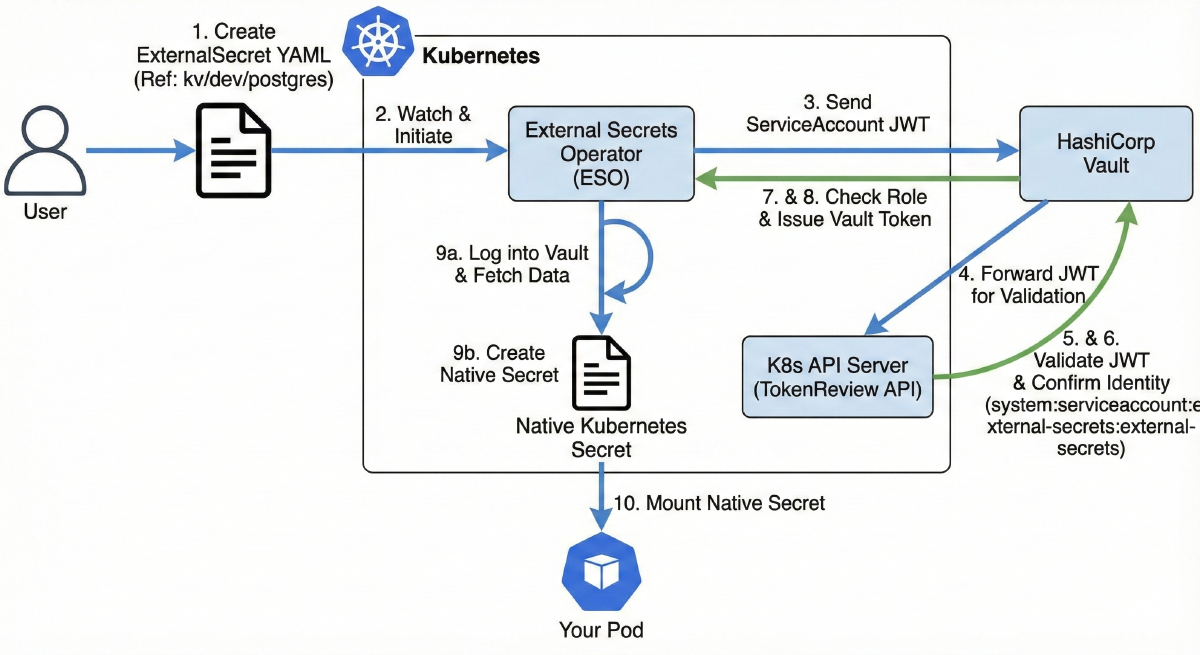
This is the entire authentication flow:

You create a new YAML file called an
ExternalSecret.This file tells ESO, “Hey, go look at
kv/dev/postgresin Vault.”ESO sends its own ServiceAccount JWT to Vault.
Vault (which can’t validate the token itself) turns around and sends that same JWT to the K8s TokenReview API.
Because the ESO ServiceAccount has the
system:auth-delegatorrole, the K8s API allows this self-check.The API says, “Yep, that token is valid. It belongs to
system:serviceaccount:external-secrets:external-secrets.”Vault checks that identity against its
external-secretsrole.Vault issues a short-lived Vault token, and ESO gets to work.
ESO automatically logs into Vault, fetches the data, creates a native Kubernetes Secret for you.
Your pod just mounts that native
Secretlike it always has.
Step 1: Configure Vault to Trust Kubernetes (Terraform)#
Before any of this works, we need to tell Vault to expect these logins from Kubernetes. This is a one-time setup in our terraform-admin project.
We’re essentially creating a new “door” for our K8s cluster to use.
File: terraform-admin/modules/vault-kubernetes-auth/main.tf
# Fetch VIP from Vault KV (stored at kv/{env}/ip)
data "vault_generic_secret" "ip" {
  path = "kv/${var.env}/ip"
}

# Enable Kubernetes auth method for the environment
resource "vault_auth_backend" "kubernetes" {
  type = "kubernetes"
  path = "${var.env}-kubernetes"

  description = "Kubernetes auth backend for ${var.env} environment"
}

# Configure the Kubernetes auth method using the VIP from Vault
resource "vault_kubernetes_auth_backend_config" "kubernetes" {
  backend = vault_auth_backend.kubernetes.path

  # Use VIP from Vault KV store (reads the 'vip' key from kv/{env}/data/ip)
  # External Vault connects to Kubernetes API via the VIP on port 6443
  kubernetes_host = "https://${data.vault_generic_secret.ip.data["vip"]}:6443"

  # Enable client JWT mode - Vault uses the client's JWT for TokenReview
  disable_local_ca_jwt = true
}

# Create a policy for External Secrets Operator
resource "vault_policy" "external_secrets" {
  name   = "${var.env}-external-secrets-policy"
  policy = <<-EOT
    # Allow reading all secrets in the environment's KV path
    path "kv/${var.env}/data/*" {
      capabilities = ["read", "list"]
    }

    # Allow listing the KV metadata
    path "kv/${var.env}/metadata/*" {
      capabilities = ["list"]
    }
  EOT
}

# Create a role for External Secrets Operator
resource "vault_kubernetes_auth_backend_role" "external_secrets" {
  backend   = vault_auth_backend.kubernetes.path
  role_name = "external-secrets"

  # Bind to the external-secrets service account in external-secrets namespace
  bound_service_account_names      = ["external-secrets"]
  bound_service_account_namespaces = ["external-secrets"]

  # Assign the policy
  token_policies = [vault_policy.external_secrets.name]

  # Token TTL settings
  token_ttl     = 3600  # 1 hour
  token_max_ttl = 86400 # 24 hours
}
Breaking this down:
Fetch VIP: We first need to tell Vault how to find our K8s cluster. We
datasource thevip(e.g.,10.69.1.110) that ourterraform-provisionjob saved to Vault in Part 2.Enable Auth Backend: We enable the
kubernetesauth method at a unique path for each environment (dev-kubernetes,prod-kubernetes). This is critical for isolation.Configure Auth Backend: We set
kubernetes_hostto our VIP. But the most critical setting isdisable_local_ca_jwt: true. This is the little toggle that officially enables the Client JWT Mode.Create Policy: We write a policy (
dev-external-secrets-policy) that gives ESO read-only access tokv/dev/data/*. This is the only thing this identity will be allowed to do.Create Role: We tie it all together. We create a role named
external-secretsthat says: “Any pod authenticating with the ServiceAccount namedexternal-secretsin theexternal-secretsnamespace… will get thedev-external-secrets-policy.”
After running terraform apply, Vault now has this new “door” wide open, waiting for our K8s cluster to come knocking.
Step 2: Deploy ESO via Ansible#
Now we flip over to our Ansible playbook. It’s time to install ESO and give it the “magic key” it needs to authenticate.
Helm Configuration#
First, we add external-secrets to our list of Helm apps to deploy. This is standard stuff. It installs the operator, its CRDs (so we can create ExternalSecret resources), and two crucial extra manifests.
File: ansible/inventory/group_vars/all/helm.yaml
helm_applications:
  # ... other applications ...

  # external-secrets: Integrate external secret management systems
  - name: external-secrets
    chart: external-secrets
    version: v0.19.2
    repo: https://charts.external-secrets.io
    namespace: external-secrets
    create_namespace: true
    values_content: |
      installCRDs: true

      metrics:
        service:
          enabled: true

        serviceMonitor:
          enabled: true
    additional_manifests:
      - external-secrets-rbac
      - external-secrets-cluster-store
RBAC Configuration#
This is the first critical piece. We deploy a ClusterRoleBinding that gives our external-secrets ServiceAccount… the system:auth-delegator role.
File: ansible/roles/deploy_helm_apps/templates/additional/external-secrets-rbac.yaml.j2
---
# ClusterRoleBinding to grant External Secrets Operator the system:auth-delegator role
# This allows Vault to use the ESO's ServiceAccount JWT for TokenReview API calls
# Required for Vault Kubernetes auth in client JWT mode
apiVersion: rbac.authorization.k8s.io/v1
kind: ClusterRoleBinding
metadata:
  name: external-secrets-auth-delegator
roleRef:
  apiGroup: rbac.authorization.k8s.io
  kind: ClusterRole
  name: system:auth-delegator
subjects:
  - kind: ServiceAccount
    name: external-secrets
    namespace: external-secrets
Without this ClusterRoleBinding, when Vault tries to call the TokenReview API using ESO’s JWT, Kubernetes would return:
Error: User "system:serviceaccount:external-secrets:external-secrets" cannot create resource "tokenreviews" in API group "authentication.k8s.io"
The system:auth-delegator role grants permission to create TokenReview requests, which is exactly what Vault needs to do in Client JWT mode.
ClusterSecretStore Configuration#
This is the second critical piece. We create a ClusterSecretStore (which is a Cluster wide, not namespace specific, store).
File: ansible/roles/deploy_helm_apps/templates/additional/external-secrets-cluster-store.yaml.j2
---
# ClusterSecretStore for Vault using Kubernetes auth
apiVersion: external-secrets.io/v1
kind: ClusterSecretStore
metadata:
  name: vault-backend
spec:
  provider:
    vault:
      server: "{{ vault_addr }}"
      path: "kv/{{ env }}"
      version: "v2"
      auth:
        kubernetes:
          mountPath: "{{ env }}-kubernetes"
          role: "external-secrets"
          serviceAccountRef:
            name: "external-secrets"
            namespace: "external-secrets"
This YAML is the “config file” for ESO. It tells ESO:
Where is Vault? (
server: "{{ vault_addr }}")What path should I use? (
path: "kv/{{ env }}")How do I log in? (Using the
kubernetesauth method at the{{ env }}-kubernetesmount path, with theexternal-secretsrole.)
Step 3: Solving the CA Cert Chicken-and-Egg#
We’re almost done, but there’s one last critical issue that we need to address.
Vault is outside our cluster.
The K8s API server is inside our cluster and uses a TLS certificate.
Vault (running
terraform-admin) generates that TLS certificate during the RKE2 bootstrap.
When Vault tries to validate a token (Step 3 of the auth flow), it makes an HTTPS call to the K8s API. How does Vault trust the K8s API’s certificate?
It can’t. Not out of the box. We have to give Vault the Kubernetes CA certificate.
But the CA certificate isn’t created until Ansible runs… and our GitHub Actions workflow needs to update Vault… after Ansible runs.
This means we need a multi-step “handshake” in our pipeline. Here’s how we solve it:
(GitHub Action) The
ansible-bootstrapjob runs.(Ansible) RKE2 is installed, and the K8s CA cert (
k8s-ca.crt) is generated on the control-plane nodes.(Ansible) ESO is deployed via Helm.
(Ansible) As a final task, Ansible
kubectls into the cluster, fetches the base64-encoded CA cert, decodes it, and saves it as a file (k8s-ca.crt) on the GitHub runner’s local filesystem.
# ... (earlier roles: download_rke2, add_server, add_agent) ...

# Deploy applications
- name: Deploy applications
  hosts: servers
  gather_facts: true
  run_once: true
  roles:
    - role: apply_kube_vip
    - role: deploy_helm_apps

# Export Kubernetes CA certificate for Vault configuration
- name: Export Kubernetes credentials for Vault
  hosts: servers[0]
  gather_facts: false
  tasks:
    - name: Get Kubernetes CA certificate
      ansible.builtin.command:
        cmd: kubectl config view --raw --minify --flatten -o jsonpath='{.clusters[0].cluster.certificate-authority-data}'
      environment:
        KUBECONFIG: /etc/rancher/rke2/rke2.yaml
      register: k8s_ca_cert_b64
      changed_when: false

    - name: Decode and save Kubernetes CA certificate locally
      ansible.builtin.copy:
        content: "{{ k8s_ca_cert_b64.stdout | b64decode }}"
        dest: "{{ playbook_dir }}/k8s-ca.crt"
        mode: "0644"
      delegate_to: localhost
- (GitHub Action) The
ansible-bootstrapjob finishes -> A new, separate step in our workflow (Configure Vault Kubernetes Auth) now runs.
- name: Run playbook
  env:
    OIDC_ISSUER_URL: ${{ vars.VAULT_ADDR }}/v1/identity/oidc/provider/${{ vars.ENV_NAME }}
    VAULT_ADDR: ${{ vars.VAULT_ADDR }}
  run: ansible-playbook -e "env=${{ vars.ENV_NAME }}" --private-key runner_key site.yaml

- name: Configure Vault Kubernetes Auth
  env:
    VAULT_ADDR: ${{ vars.VAULT_ADDR }}
    VAULT_TOKEN: ${{ steps.vault_auth.outputs.vault_token }}
    ENV_NAME: ${{ vars.ENV_NAME }}
  run: |
    # Configure Vault Kubernetes auth backend with client JWT mode
    # ESO will use its own ServiceAccount token for both auth and TokenReview
    vault write auth/${ENV_NAME}-kubernetes/config \
      kubernetes_host="https://${{ env.IP_VIP }}:6443" \
      [email protected] \
      disable_local_ca_jwt=true
- (GitHub Action) This step uses the Vault token it already has, and runs a
vault writecommand… uploading thek8s-ca.crtfile that Ansible just saved.
This is the final piece of glue. We’re using our CI runner as a temporary “mule” to carry the dynamically-generated CA cert from the K8s cluster back to Vault.
It’s a beautiful bit of automation, and it solves the chicken-and-egg problem perfectly.
Using External Secrets#
Okay. The platform is built. The engine is running. Now, how does a developer on my team actually use this?
Let’s say they need database credentials, which I’ve stored in Vault at kv/dev/postgres.
All they have to do is add this ExternalSecret YAML to their application’s Helm chart or GitOps repo:
apiVersion: external-secrets.io/v1
kind: ExternalSecret
metadata:
  name: postgres-credentials
  namespace: myapp
spec:
  # Refresh the secret every hour
  refreshInterval: 1h

  # Reference the ClusterSecretStore we created
  secretStoreRef:
    kind: ClusterSecretStore
    name: vault-backend

  # The target Kubernetes Secret to create/update
  target:
    name: postgres-credentials
    creationPolicy: Owner

  # Map Vault secret fields to Kubernetes Secret keys
  data:
    - secretKey: host
      remoteRef:
        key: postgres        # kv/dev/data/postgres
        property: host       # Field name in Vault secret

    - secretKey: port
      remoteRef:
        key: postgres
        property: port

    - secretKey: username
      remoteRef:
        key: postgres
        property: username

    - secretKey: password
      remoteRef:
        key: postgres
        property: password

    - secretKey: database
      remoteRef:
        key: postgres
        property: database
When they kubectl apply this, here’s what happens:
ESO sees the new
ExternalSecretresource.It checks the
ClusterSecretStore(ourvault-backend).It authenticates to Vault (using the whole Client JWT flow).
It fetches the data from
kv/dev/data/postgres.It creates a new, native Kubernetes
Secretcalledpostgres-credentialsin themyappnamespace.
   apiVersion: v1
   kind: Secret
   metadata:
     name: postgres-credentials
     namespace: myapp
   type: Opaque
   data:
     host: cG9zdGdyZXMuZGVmYXVsdC5zdmMuY2x1c3Rlci5sb2NhbA==  # base64
     port: NTQzMg==
     username: bXlhcHA=
     password: c3VwZXItc2VjcmV0LXBhc3N3b3Jk
     database: bXlhcHBfZGI=
Their pod deployment YAML is now… completely standard. It doesn’t know (or care) about Vault, ESO, or anything else. It just mounts the native Secret that ESO created for it.
apiVersion: v1
kind: Pod
metadata:
  name: myapp
  namespace: myapp
spec:
  containers:
    - name: app
      image: myapp:latest
      env:
        - name: DB_HOST
          valueFrom:
            secretKeyRef:
              name: postgres-credentials
              key: host
        - name: DB_PORT
          valueFrom:
            secretKeyRef:
              name: postgres-credentials
              key: port
        - name: DB_USERNAME
          valueFrom:
            secretKeyRef:
              name: postgres-credentials
              key: username
        - name: DB_PASSWORD
          valueFrom:
            secretKeyRef:
              name: postgres-credentials
              key: password
        - name: DB_DATABASE
          valueFrom:
            secretKeyRef:
              name: postgres-credentials
              key: database
And that’s it. We’ve done it. We’ve built a system where developers can consume secrets from a single source of truth in a secure, automated, and K8s-native way.
Summary#
In this part, we closed the final loop in our Zero Trust secret management story.
We configured Vault’s Kubernetes Auth to trust our cluster’s ServiceAccounts.
We used the Client JWT Mode to avoid managing any long-lived tokens.
We deployed the External Secrets Operator with the magic
system:auth-delegatorpermission.We solved the CA cert chicken-and-egg problem with a clever Ansible -> GitHub Action handshake.
We provided a dead-simple workflow for developers to consume secrets.
Next up: We have the infrastructure, we have the secrets… now we need to deploy the apps. This marks the beginning of the GitOps series coming up.